panel-tiles
panel-tiles provides TileGrid, a draggable and resizable grid layout for Panel apps powered by Muuri and interact.js.
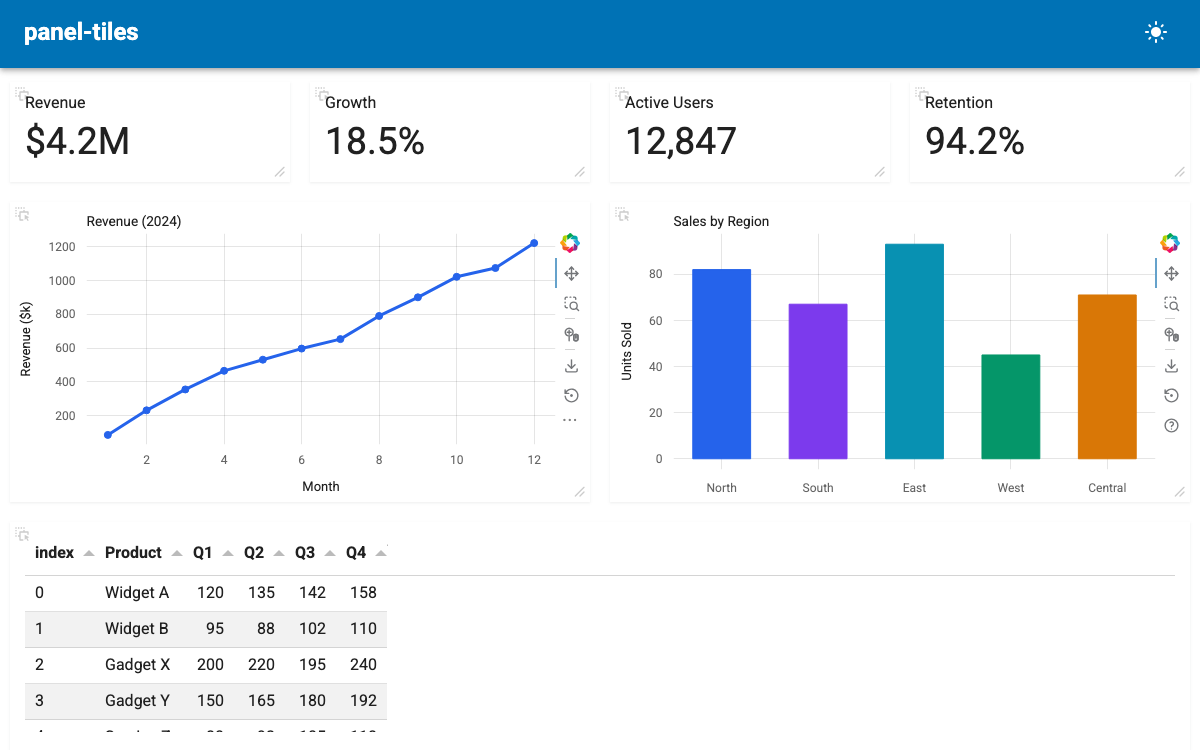
from panel_tiles import TileGrid

...

grid = TileGrid(
    objects=[
        revenue_ind,
        growth_ind,
        users_ind,
        retention_ind,
        pn.pane.Bokeh(line_fig),
        pn.pane.Bokeh(bar_fig),
        table,
    ],
    layout=[
        {"width": 25, "height": 100, "visible": True},
        {"width": 25, "height": 100, "visible": True},
        {"width": 25, "height": 100, "visible": True},
        {"width": 25, "height": 100, "visible": True},
        {"width": 50, "height": 300, "visible": True},
        {"width": 50, "height": 300, "visible": True},
        {"width": 100, "height": 250, "visible": True},
    ],
    sizing_mode="stretch_width",
    height=750,
)

pmui.Page(main=[grid], title="panel-tiles").servable()
Installation
Features
- Drag-and-drop tile reordering
- Resize tiles from the corner handle
- Configurable layout with percentage widths and pixel heights
- Close buttons with hide or remove behavior
- Persist user layouts to localStorage
- Read-only mode for fixed dashboards
- Dynamic add/remove of tiles at runtime
How-To Guides
- Create a Basic Tile Grid
- Add and Remove Tiles Dynamically
- Configure Close Buttons
- Persist Layout with localStorage
- Create a Read-Only Grid