Customize the Layout
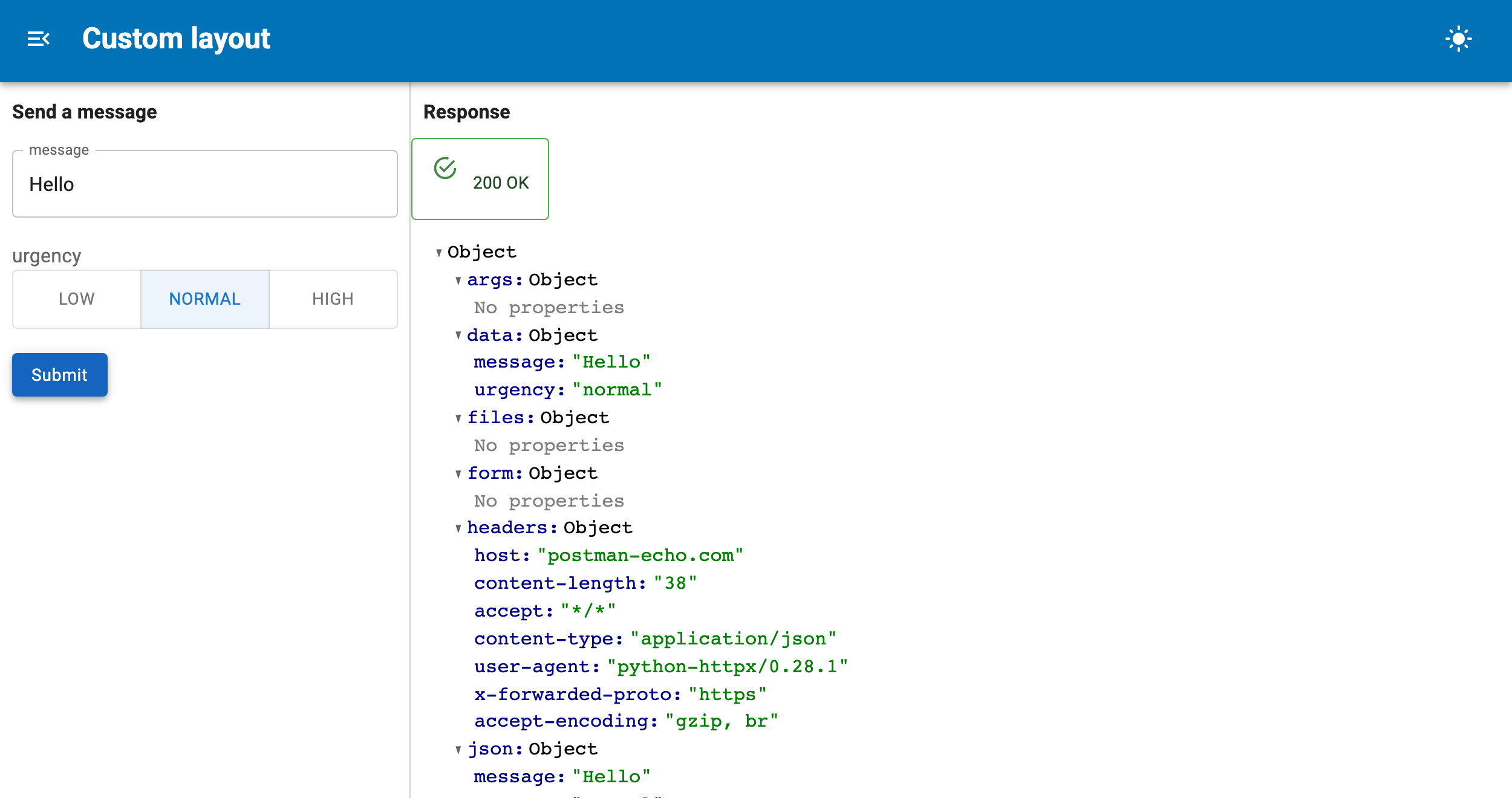
OpenAPIForm renders as widgets beside the response by default. Both halves are
public Panel containers, so you can put them wherever you like.
The two containers
| Attribute | Contents |
|---|---|
form.form |
The widgets and the submit button |
form.response |
The status and body of the latest response, empty until submit |
Both are panel_material_ui.Column instances. Place them independently:
Rebuilt in place
When the operation changes the containers are mutated, not replaced, so a layout built once stays correct. Keep a reference to the container, not to its contents:
layout = pmui.Column(form.form)   # fine, follows the operation
layout = pmui.Column(*form.form)  # stale after the next rebuild
Complete example
"""Lay out the form and its response wherever you want them."""

import panel as pn
import panel_material_ui as pmui

from panel_openapi import OpenAPIForm

pn.extension()

SPEC = {
    "openapi": "3.0.0",
    "info": {"title": "echo", "version": "1.0.0"},
    "paths": {
        "/post": {
            "post": {
                "summary": "Send a message",
                "requestBody": {
                    "content": {
                        "application/json": {
                            "schema": {
                                "type": "object",
                                "required": ["message"],
                                "properties": {
                                    "message": {"type": "string"},
                                    "urgency": {
                                        "type": "string",
                                        "enum": ["low", "normal", "high"],
                                        "default": "normal",
                                    },
                                },
                            }
                        }
                    }
                },
                "responses": {"200": {"description": "ok"}},
            }
        }
    },
}

form = OpenAPIForm(SPEC, base_url="https://postman-echo.com", path="/post", method="post")

# form and response are plain Columns, so they can go anywhere in a layout.
pmui.Page(
    title="Custom layout",
    sidebar=[pmui.Typography(form.param.title, variant="h6"), form.form],
    main=[pmui.Typography("Response", variant="h6"), form.response],
    sidebar_width=340,
).servable()
Rearranging the widgets
form.widgets is keyed by name and form.fields carries each field's location,
so you can group them yourself and still get the form's submit behaviour:
groups = {}
for field in form.fields:
    groups.setdefault(field.location, []).append(form.widgets[field.name])

pmui.Column(
    pmui.Typography("Parameters", variant="subtitle2"), *groups.get("query", []),
    pmui.Typography("Body", variant="subtitle2"), *groups.get("body", []),
)
The submit button lives in form.form. If you lay the widgets out yourself, add
your own button and await form.submit() from it:
async def save(event):
    await form.submit()

pmui.Button(label="Send", variant="contained", on_click=save)
Titles and headings
form.title is a parameter, so it can be passed as a reference and will follow
the operation:
Several forms together
Tabs are a natural fit for one operation per tab:
pmui.Tabs(
    ("Create", OpenAPIForm(spec, base_url=BASE, path="/tasks", method="post")),
    ("List", OpenAPIForm(spec, base_url=BASE, path="/tasks", method="get")),
    dynamic=True,
)
Parse the spec once with load_openapi and share it, rather than fetching the
same URL per form.
Editor layout
OpenAPIRecordEditor exposes its two forms as editor.lookup and
editor.editor, each a full OpenAPIForm with its own form and response, so
the same rearranging applies: